
 English
expand_more
 Español
 Deutsch
 Français
 Português
 Türkçe
 Polski
 العربية
 हिन्दी

How to run a GEO audit and turn its reports into an AI search plan
Labrika helps identify what prevents AI from describing and recommending your company accurately: poorly explained services, weak pages or missing information on external platforms. This guide follows the workflow from a GEO audit to publishing content and checking recommendations, using office coffee machine rental as an example.
Choose the service you want AI to recommend
North Coffee sells and rents coffee machines, but wants more office inquiries. A buyer asks: “Where can I rent a coffee machine in Seattle with maintenance included?” Business suppliers, service coverage and location matter. We will use those criteria to review the audit.
For a store, focus on a product category; for SaaS, a specific industry use case; for a local business, a service in its target city. Agencies can agree on one service line for the first phase so the recommendations become a clear scope of work.
Run a GEO audit of your website
Open “GEO audit”, choose an existing website and click “Continue”. If it is not listed, use “Add a new site”, enter the domain and name, and click “Create project”. Review the cost and confirm with “Start Check”.
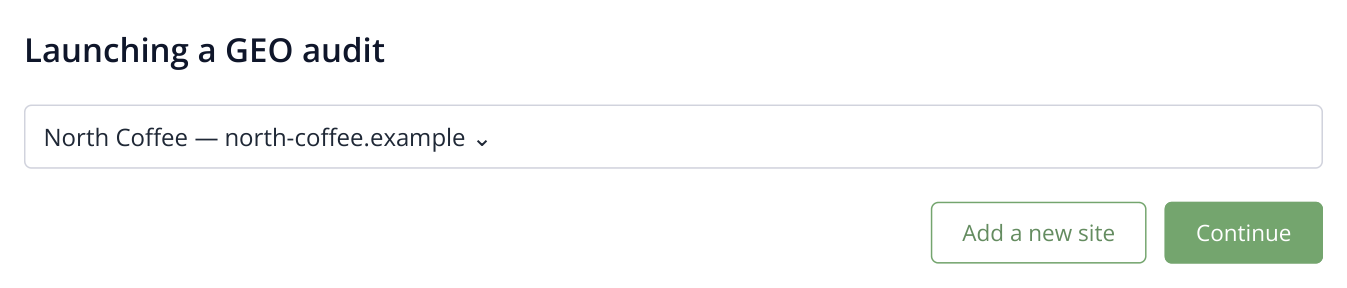
1. Selecting an existing website for a GEO audit. Use “Add a new site” if the project is not yet in your account.
When the analysis finishes, open “AI Audit”. It contains the brand description, competitor analysis, website recommendations, content topics and external platforms. Below, we explain what to take from each report when promoting office rentals.
Find gaps in your company information
In “What will AI tell?”, read the business and service description. If the company is presented as a home appliance store and office rentals barely feature, start with the rental page. Add facts that distinguish the offer: who the equipment suits, what the contract covers and where you serve customers.
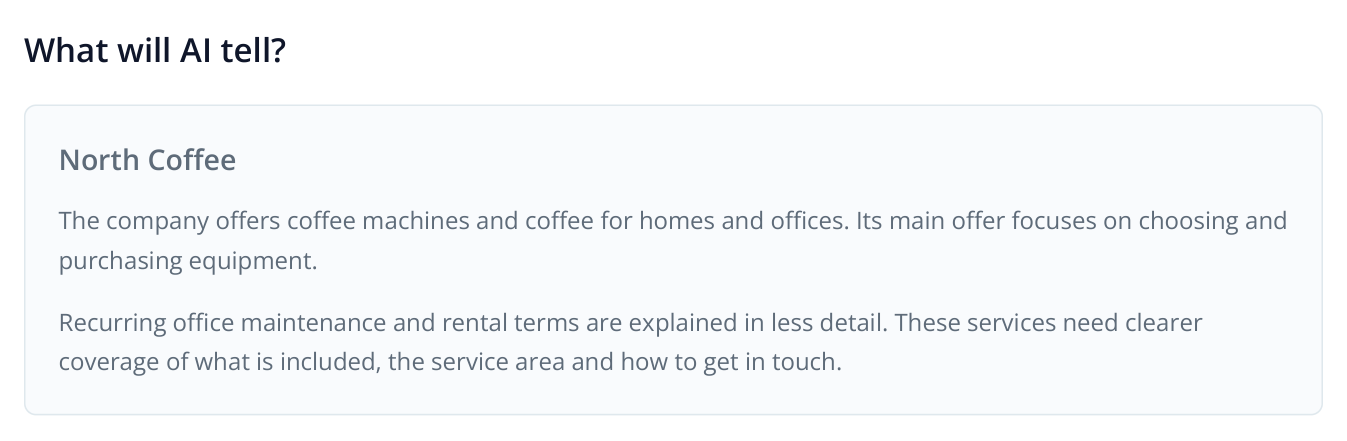
2. A fictional report excerpt: sales are described clearly, while business rentals need more attention.
A practical method is to place the report's description beside your actual offer: “Sells home appliances” → “Supplies and services coffee machines for Seattle offices, with purchase and rental options.” Apply that clarification consistently to the company page, service pages and external listings. This is especially useful after rebranding or launching a new service.
Under “Reviews Remembered by AI”, inspect the impressions associated with the company. If a complaint mentions slow repairs, open the cited source and check its date and context. Explain your current replacement equipment policy on the website and send genuine customer issues to the service team. Use SERM to work with discovered reviews and their sources.
Understand why competitors appear in answers
Open “Competitors”, then “Who is shown and why” and “What affects visibility”. Look for reasons behind supplier selection: specialization, detailed terms, comparisons, experience and presence on relevant platforms.
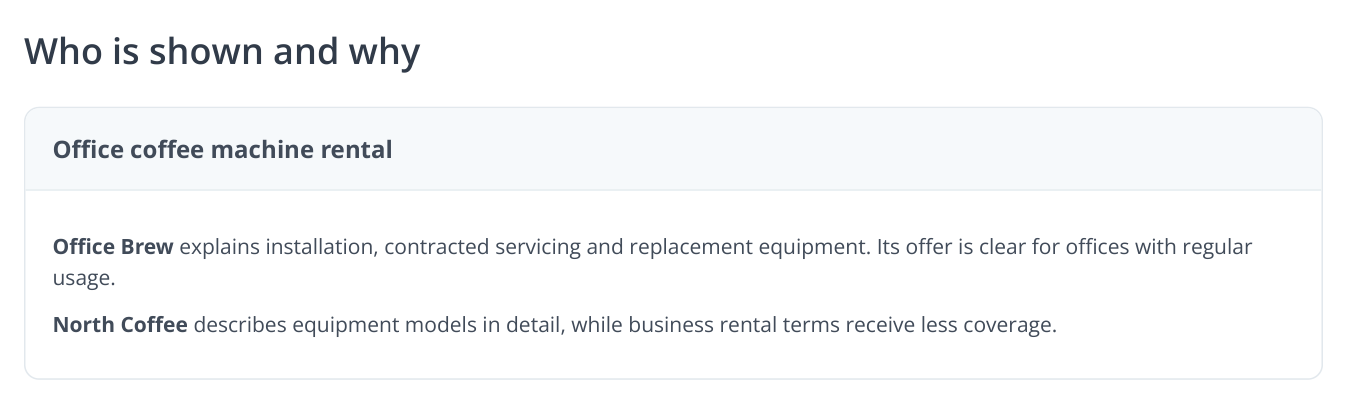
3. Sample report content. Compare the reasons for mentions with the actual pages: which competitor terms do you also provide but have not explained yet?
Suppose a competitor stands out for rentals with maintenance, while your own service coverage occupies one sentence. Explain that customer need using your actual terms: response time, what is included and when a replacement is provided. There is no need to copy the competitor's offer or invent a service you do not provide.
For a B2B product, the equivalent task is to show an industry use case. Someone choosing a CRM for field service needs routes, technician assignments and service history. A page covering that scenario answers the question more directly than a general feature list.
Choose topics and create the pages you need
Find proposed actions in “How to improve visibility” and missing information in “Important content for AI”. Start with the existing landing page: rental terms usually belong there. Create a separate page for a separate decision, such as renting versus buying.
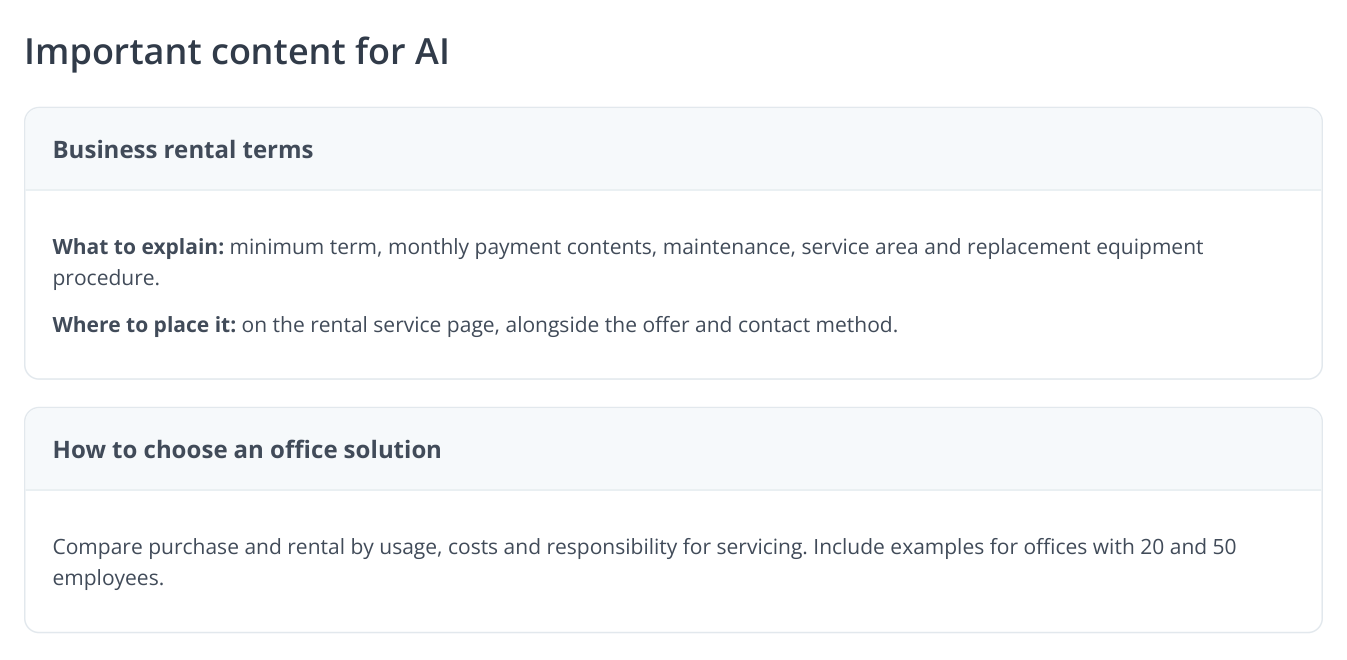
4. Sample recommendations. The first becomes an addition to the service page; the second becomes a separate comparison for buyers.
A useful section answers a specific question and provides decision criteria. Instead of “high-quality maintenance”, explain what the contract includes, which cities technicians cover and how to request a repair. Put comparable terms in a table and the booking process in short steps.
Use “Content Ideas” to select topics for the next phase. For rentals, these might be buying versus renting, choosing equipment by office size and understanding maintenance. Each topic answers a different buyer question.
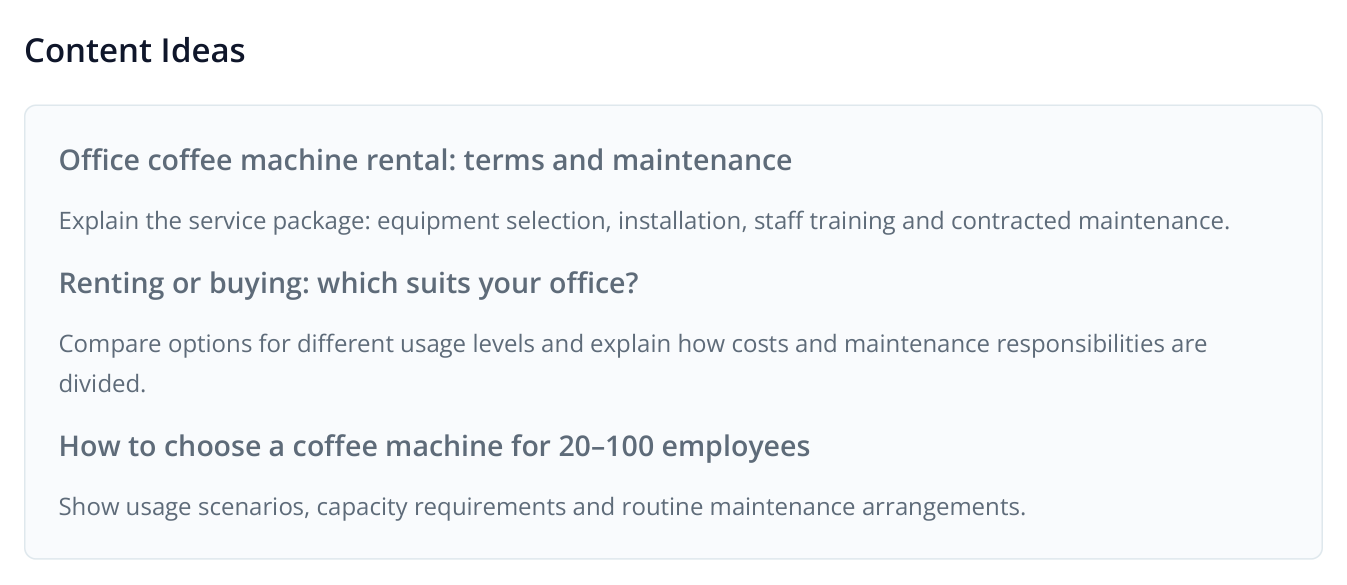
5. Sample content ideas from the report. Each addresses a distinct buyer need and can become its own page.
Next, open “Competitors’ Content”. Here, titles, intent, likely prompts and target keywords are linked to individual page URLs. Select the pages you want rewritten for your business and click “Send to Content Factory”.
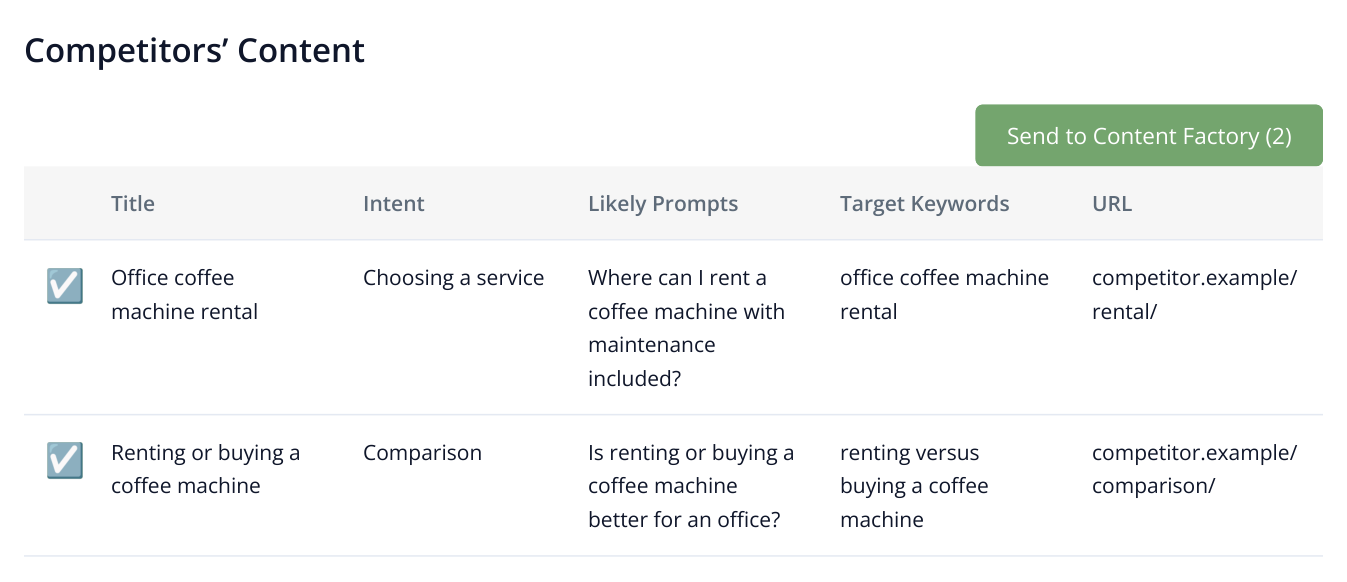
6. A table excerpt with two source pages selected for your own content. Enter your brand details in the next step.
Specify your brand, products or services, strengths and exclusions. Once the jobs are prepared, open Content Factory, select the documents and start writing. Open and download the finished content for publication. See the complete workflow in the guide to creating pages from competitor content.
Add your company to relevant external platforms
Open “Registration Directories”. For office equipment rentals, prioritize supplier and service directories in your region. For SaaS, product comparison platforms may be more useful. Open each suggested URL and check whether it serves your audience.
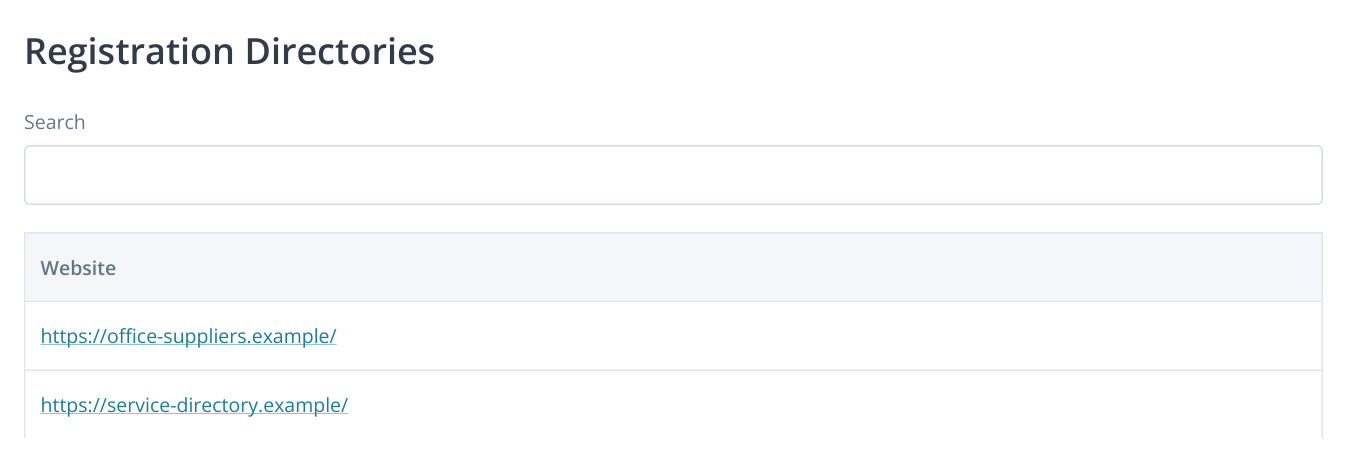
7. The report lists platform URLs. Open a website and check its categories, geography and registration terms. These domains are examples.
First look for an existing brand listing: updating its domain, name, services and contact details may be enough. In a new listing, use the same information as your website, add service terms and link to the relevant service page. Potential customers can then connect a review, directory listing and official website to the same company.
SERM complements this step: “Platforms” shows discovered presence, “Mention history” shows individual materials, and “Description mismatches” highlights conflicting information. An old service address or former company name becomes a specific listing update task. Read more about platform selection and SERM.
Check whether important content is accessible
If service terms require a login, exist only in an image or disappear without JavaScript, address page accessibility first. The SEO audit and JavaScript website analysis help inspect content, links and technical issues. The AI audit also includes a dedicated AI bot access report.
Check the bot's purpose and the active robots.txt rule, especially after a release or security configuration change. Give the developer the specific service page and the rule preventing crawling. Accessible text with clear facts helps visitors and systems that use pages as sources. For Google's AI features, see the accessibility and content guidance in Google's official guide.
Measure recommendations for buyer questions
In “Prompt ideas”, select rental-related questions and transfer them to AI visibility settings using the button above the table. Enter your brand, name variants, competitors and assistants. Save the settings and run the first analysis before publishing changes.
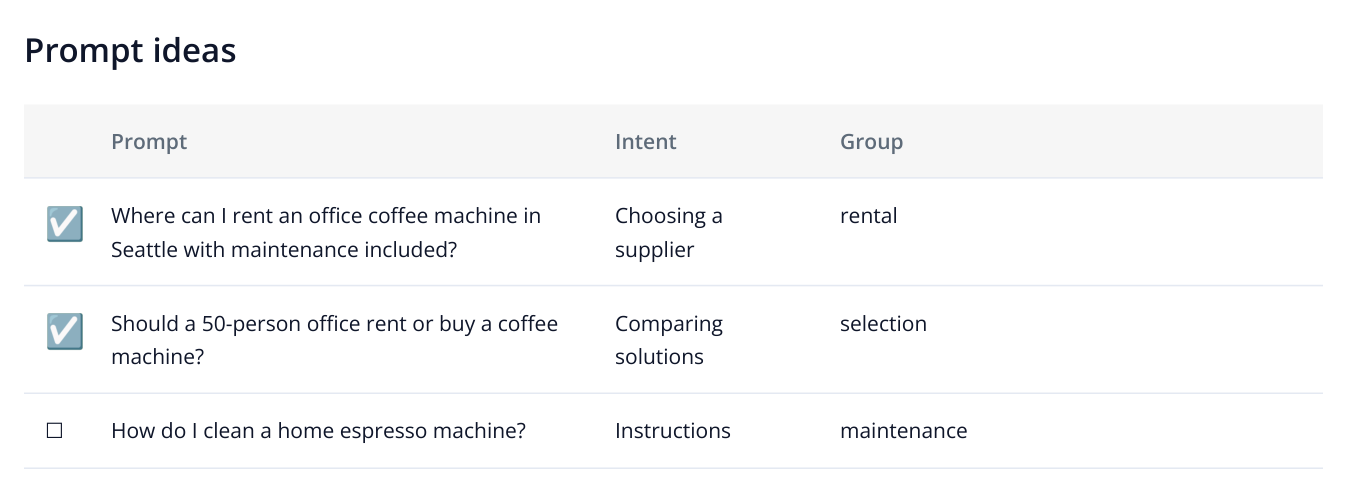
8. An excerpt from “Prompt ideas”: select questions for your business objective and transfer them to AI visibility monitoring.
“What do you know about North Coffee?” checks the company description. An unbranded question such as “Where can I rent an office coffee machine with maintenance included?” checks whether the company appears in independent supplier discovery. Separate these groups with tags so growth in branded answers does not hide missing recommendations to new customers.
After publishing, repeat the same question set on a schedule. Under “Visibility”, inspect the chart and dated responses. Under “Brand visibility”, review companies appearing alongside yours. If your brand starts being recommended, open the answer and check what for: sales and rentals serve different needs.
For client reporting, connect what changed, where it was published and how answers to the chosen questions evolve. For example: “Added maintenance and replacement terms to /rental/ → updated two supplier listings → collected new rental checks in Perplexity and Gemini.” Track inquiries and sales in your analytics. Set up recurring checks and interpret the charts.