
 English
expand_more
 Español
 Deutsch
 Français
 Português
 Türkçe
 Polski
 العربية
 हिन्दी

How to create original branded pages from competitor content
If a competitor already has an article or service page you need, Labrika can use it to write original content for your company. Select the pages and specify your brand, products, strengths and exclusions. “Content Factory” rewrites the material using those details. This is useful for building a new website, launching a service section or preparing several pages for an agency client.
Add the pages you want rewritten for your website
Open “AI writer” → “Content Factory” → “Create Task”. Under “What to do”, choose “Clone website”. You supply specific pages to rewrite; each becomes a separate document.
If you already have the URLs, select “add by list” and paste one complete URL per line. For example, a company launching office coffee machine services needs three pages: rentals, ongoing maintenance and repairs. Add the competitor's corresponding pages. Each future page then has a defined purpose, instead of starting from the broad topic “coffee machines”.
For a large list, choose “file import” and upload a TXT file containing one URL per line. If the source website has already been audited in Labrika, choose “Load URLs from site audit”, select the project and click “Select website pages”. Check the pages you need to collect an entire section without copying URLs individually.
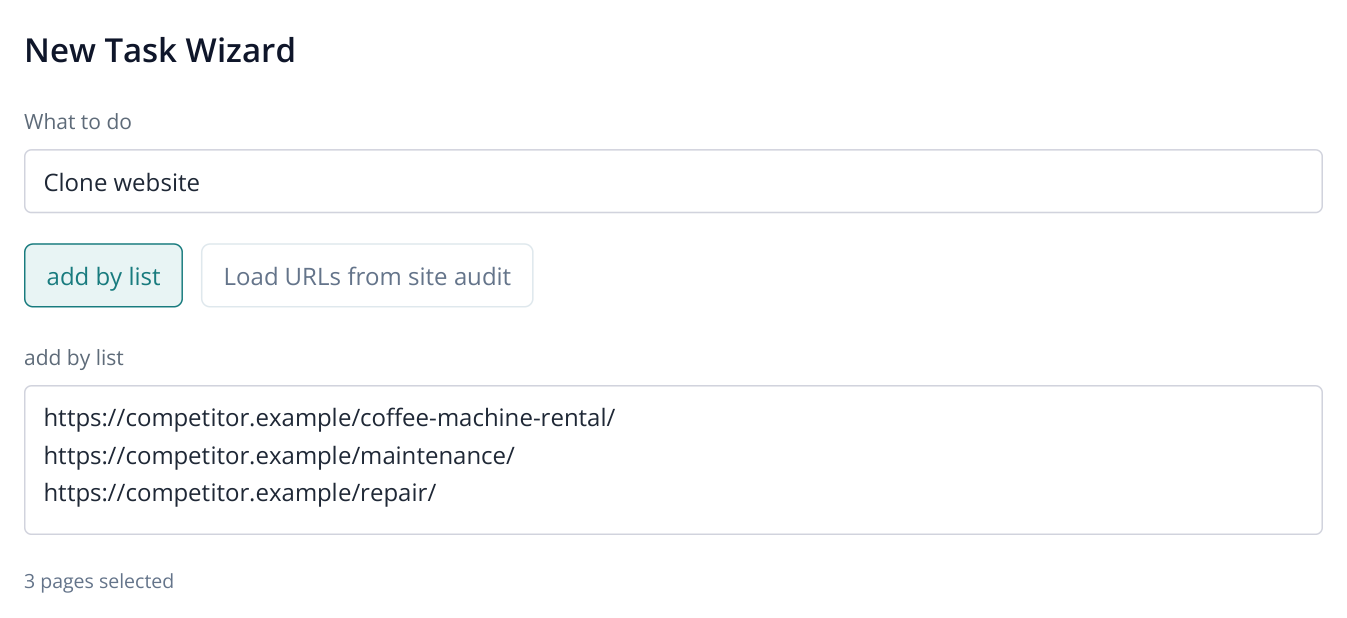
1. Part of the source selection screen: these URLs supply the material for new texts for your website.
Get a page list from a sitemap
When a competitor has many relevant pages, get their URLs from its sitemap. Labrika provides the free “Labrika Sitemap URL Extractor: The Free Tool That Reads Your Sitemaps Without Uploading a Thing” tool. For example, when launching a service section, extract the competitor's service sitemap and choose the pages you want rewritten.
- Save the source website's sitemap file and upload it to the utility. XML, TXT and compressed GZIP files are supported.
- Choose page URL extraction and start processing. This keeps image and video URLs out of your article list.
- Copy the results, return to “Clone website” and paste them into “add by list”. Keep the pages you want rewritten. Alternatively, save the list as TXT and upload it through “file import”.
If the source file is a sitemap index, the results are URLs of nested sitemaps. Download the one you need, such as the services or blog sitemap, and extract its page URLs. The cloning wizard accepts page addresses; the separate utility processes the XML file.
Choose the type of page you intend to publish. A rental offer needs a commercial page with service terms, while a blog needs an article answering a reader's question. For a supplier, “How to choose a coffee machine for a 30-person office” suits an informational section; “Coffee machine rental with maintenance” suits lead generation.
Specify your company's offer
Complete the four fields. These details let AI replace the competitor's offer with yours, going beyond changing the company name.
- “Brand”: your company name, for example, “North Coffee”.
- “Key product/service categories”: what you offer, such as office coffee machine rental, coffee supply and maintenance.
- “Strengths”: terms the text should include, such as installation and staff training, maintenance under the contract and a replacement machine during repairs.
- “Exceptions (we do not provide / do not sell)”: what you do not offer. For example, you serve offices and do not rent equipment for private parties.
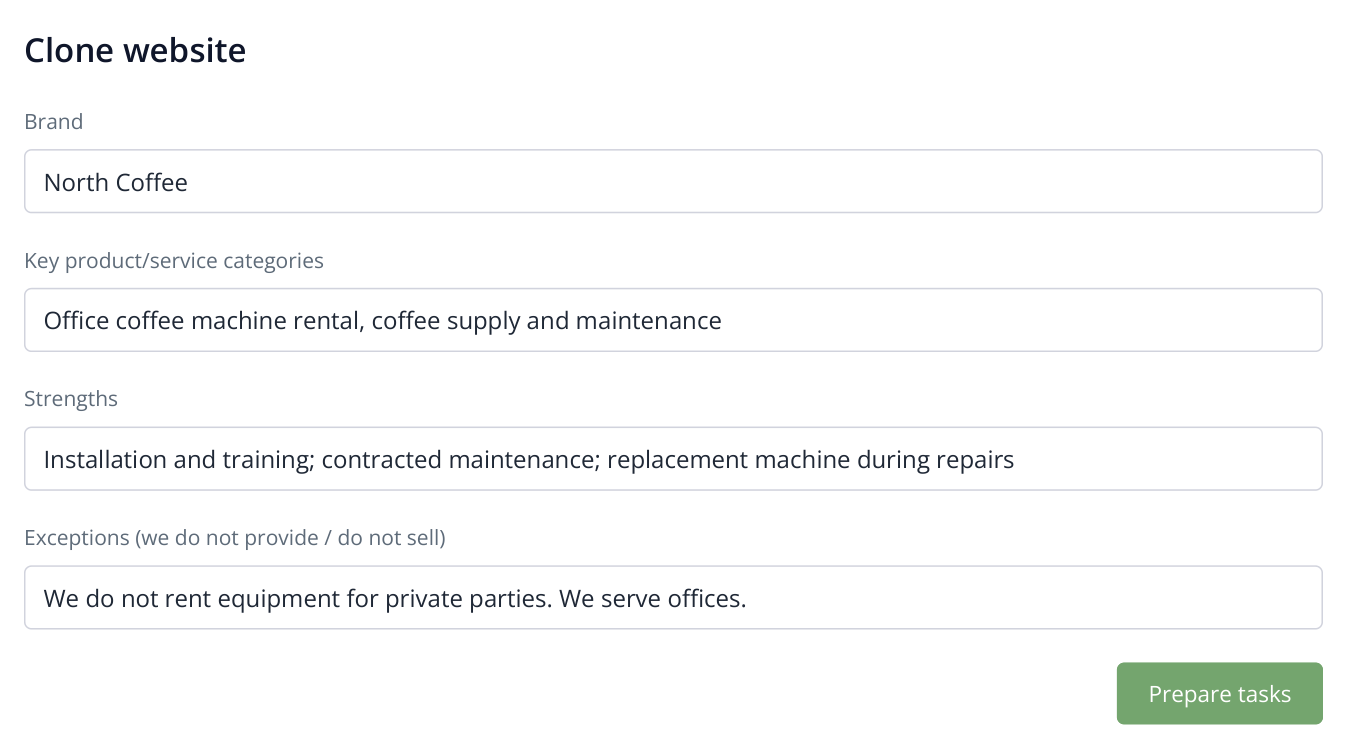
2. Your company's actual terms shape the new material. Exclusions help remove unsuitable offers from the source page.
Use facts that affect a customer's decision. “A replacement machine during repairs” explains a benefit better than “high quality”. If the competitor offers 24/7 visits but you work on weekdays, specify your hours: the new page should describe your terms.
Agencies can use the same source pages for different client briefs, supplying each company's products and strengths. One supplier may focus on equipment sales while another offers rental with maintenance. The topic can be the same while the offers differ.
Prepare the jobs and start writing
Click “Prepare tasks”. Labrika processes the selected pages and creates documents for generation. You still need to start writing those documents.
Open the prepared job, select the documents you want now and click “Run selected generation”. The confirmation dialog shows the AI credit cost. Confirm to start rewriting the selected pages for your company.
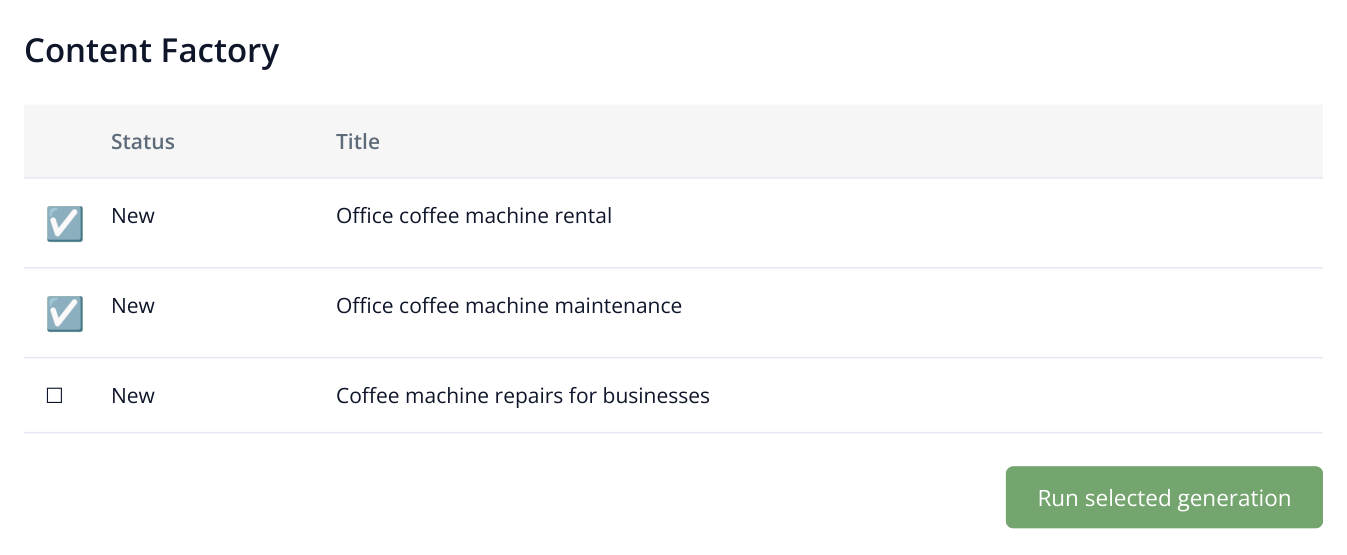
3. A document list excerpt. Prepared jobs still need to be sent for writing; two of the three documents are selected here.
Generate one article, several service pages or the whole prepared section. When launching a new service line, start with the pages linked from your navigation and ads, such as rental and maintenance. Informational equipment guides can follow in another batch within the same job.
Once generation finishes, open a document marked “Completed”. In this example, a source page about event rentals should become an office offer with installation, training and a replacement machine. Check those terms against your brand fields and ensure the text and contact details contain no leftover competitor offers. Edit any details directly in the editor.
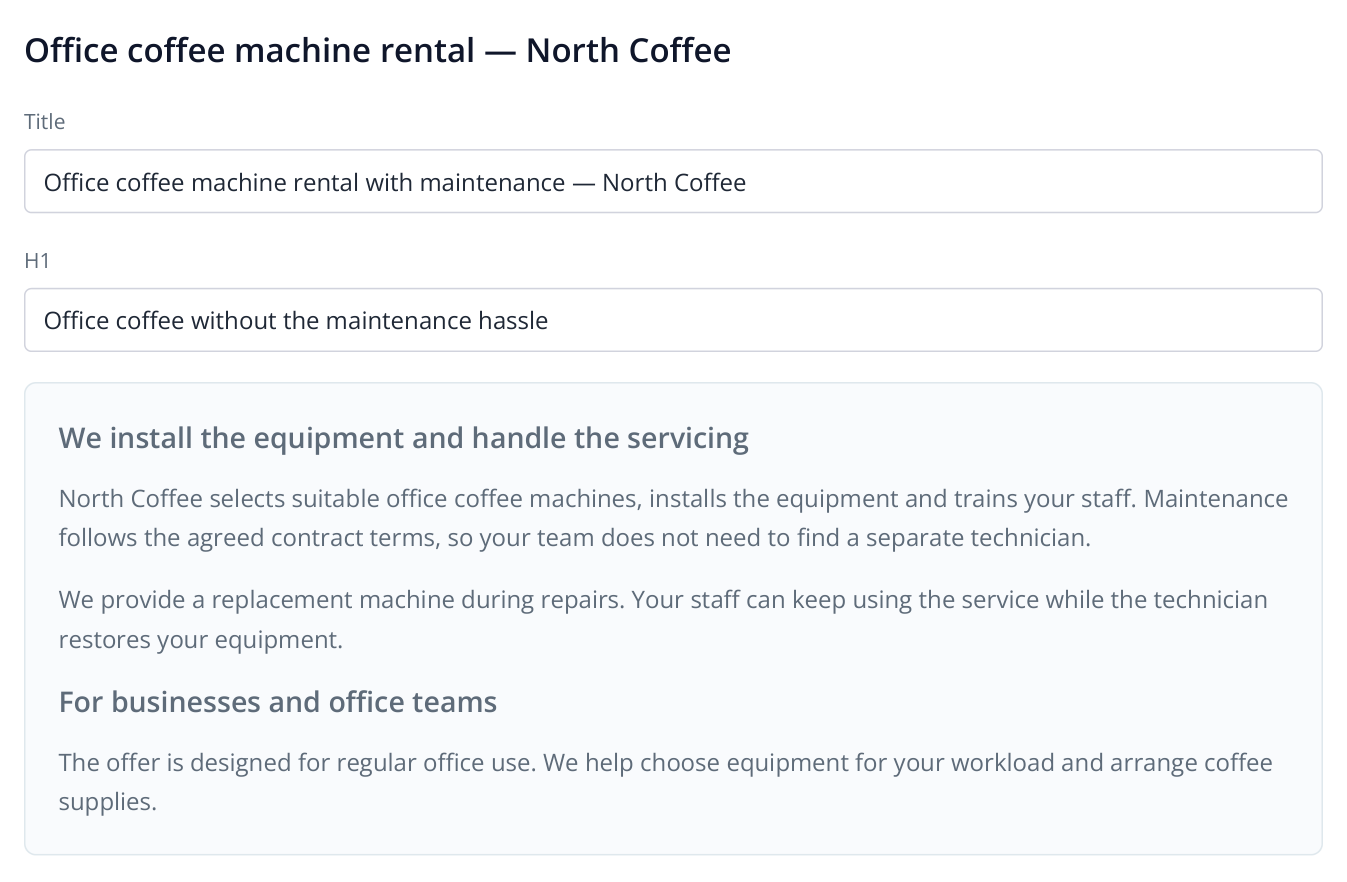
4. An example of the generated page in the editor: the source topic remains, while the offer reflects your own brand details.
Select pages directly from the AI audit
If you are still deciding which content to create, open “Competitors’ Content” in the AI audit. Compare page titles, “Intent”, “Likely Prompts”, “Target Keywords” and URLs.
For example, you find a coffee machine rental pricing article and the buyer questions it addresses. You already offer the service but have no matching article. Select the page, click “Send to Content Factory”, enter your brand details and confirm. Then open the Content Factory job and start generating the prepared documents.
This supports GEO work because topic selection is tied to discovered competitor content and user questions. It also gives an SEO team a clear reason to recommend a new page: it addresses a specific need for which competitors already have content.
Download the finished text and publish it
Open the document and download it as HTML or TXT. HTML helps transfer the article structure to your CMS; TXT is useful when placing text in separate sections of an existing page. Make any final adjustments in Labrika's editor if needed.
After transferring the text, you have a service page presenting your own offer. For example, add your current rental plans and a contact form in the CMS. “Clone website” creates content for the selected pages; layout and publication happen on your website.
To optimize a finished page for your project's keywords, use one-click optimization. To generate content from keyword groups, use the keyword group optimization mode in Content Factory.
Read more similar articles