
 English
expand_more
 Español
 Deutsch
 Français
 Português
 Türkçe
 Polski
 العربية
 हिन्दी
SEO specialists
Quickly map keywords to pages, spot mixed search intents, and build a clear optimization plan.
Map your keywords to landing pages and see what to optimize. Labrika’s keyword clustering helps SEO specialists quickly decide which queries to target on the same URL, which to separate, when an existing landing page fits, and when to create a new one.
Your keyword list becomes a page-by-page SEO plan. Optimize an existing page, move some keywords, separate different search intents, create a landing page, or prepare a brief for your copywriter and developer.
Start clustering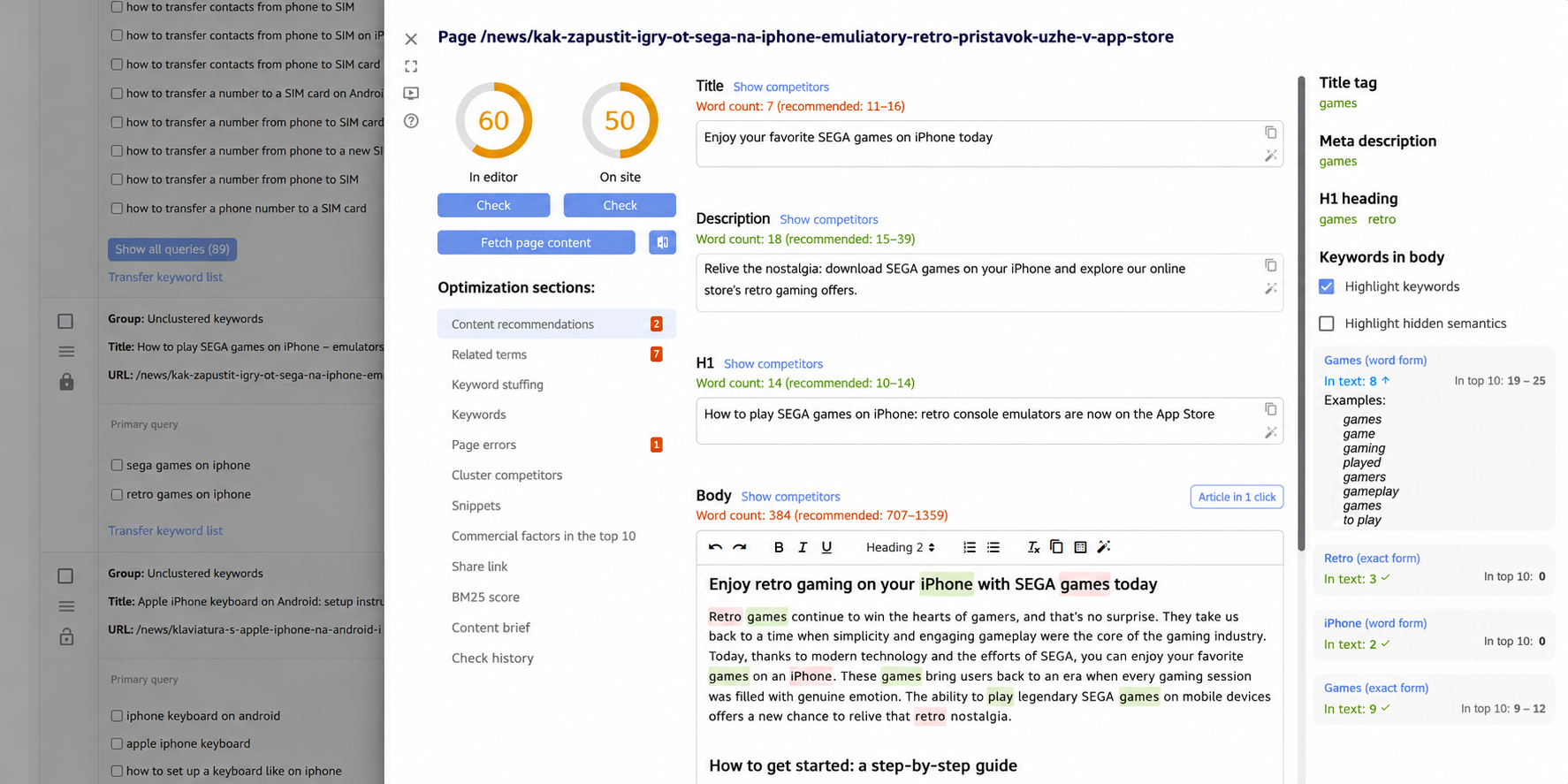
Collecting keywords is only the first step. You need to map them to the right pages on your site. Otherwise, several URLs end up targeting the same queries, a single article mixes different search intents, the copywriter gets a vague brief, and the SEO specialist spends time sorting keywords by hand instead of optimizing pages.
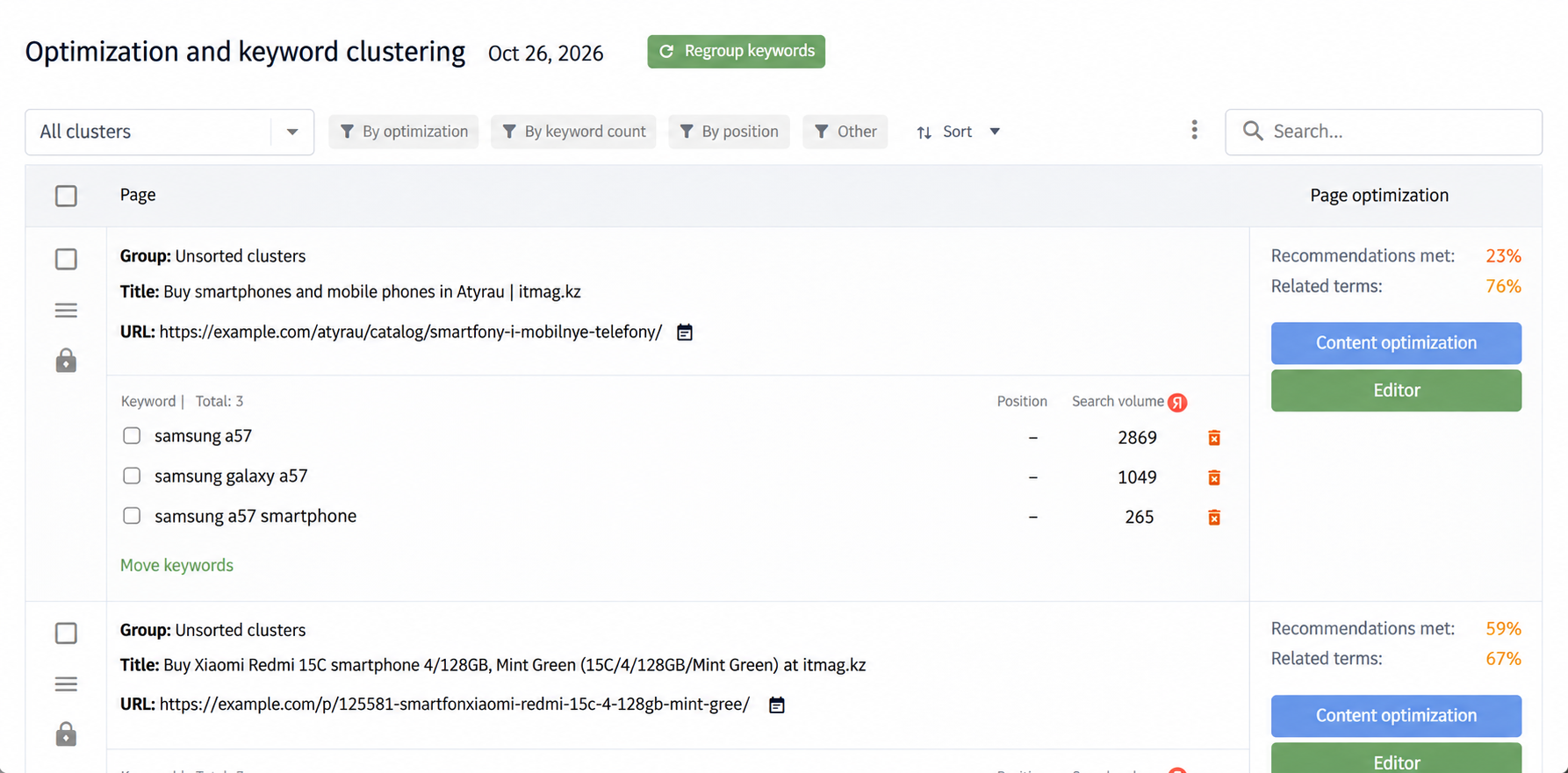
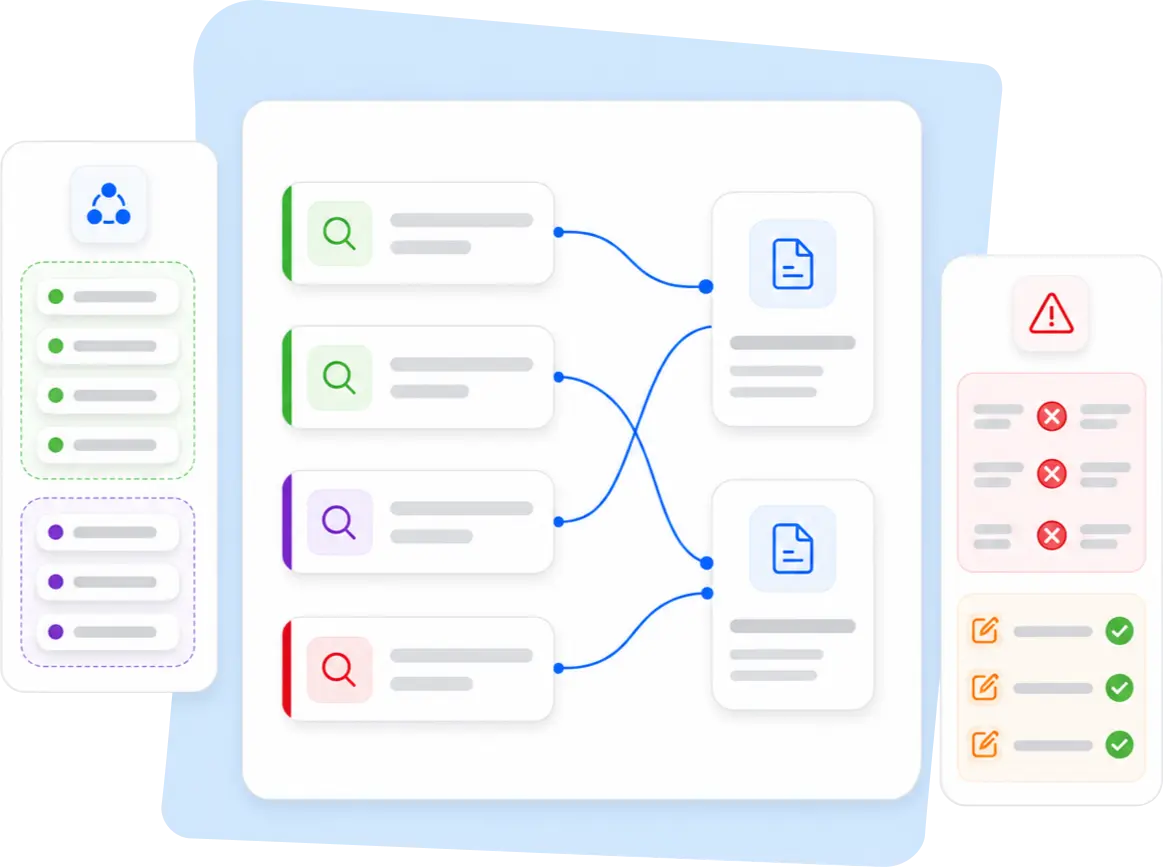
Labrika groups related queries and maps them to landing pages. See where a page already fits a cluster, where it needs work, and where queries belong on separate pages. This is especially important for online stores, service sites, directories, blogs, and agency projects with large numbers of pages and keywords.
Labrika organizes keywords into clusters you can use to plan category pages, service pages, articles, commercial landing pages, and entire sections of your site.
Each cluster shows which search terms belong on the same page. This helps you separate product searches, service queries, informational searches, and location-specific queries so each URL serves a clear intent.
Clustering helps you map a group of queries to a landing page. If another page is a better match for a query, you can take that into account as you refine your site structure.
Labrika flags queries in a group that should target different pages. You can move those keywords to another cluster or use them as the starting point for a separate page.
Once your keywords are grouped, you can see where to improve an existing page, separate search intents, create a landing page, rework the copy, update meta tags, or assign a task to your team.
Fine-tune the automatic groups by moving keywords, changing a landing page URL, renaming groups, adding notes, assigning colors, locking important clusters, and organizing them into folders.

After keyword research, work out which queries belong on existing pages, which to move, and which need new URLs. Clustering helps you turn a keyword list into a site structure quickly.
When several URLs target closely related queries, they can compete with each other. Clusters help you assign the main keyword group to the right page and avoid spreading those terms across duplicate pages.
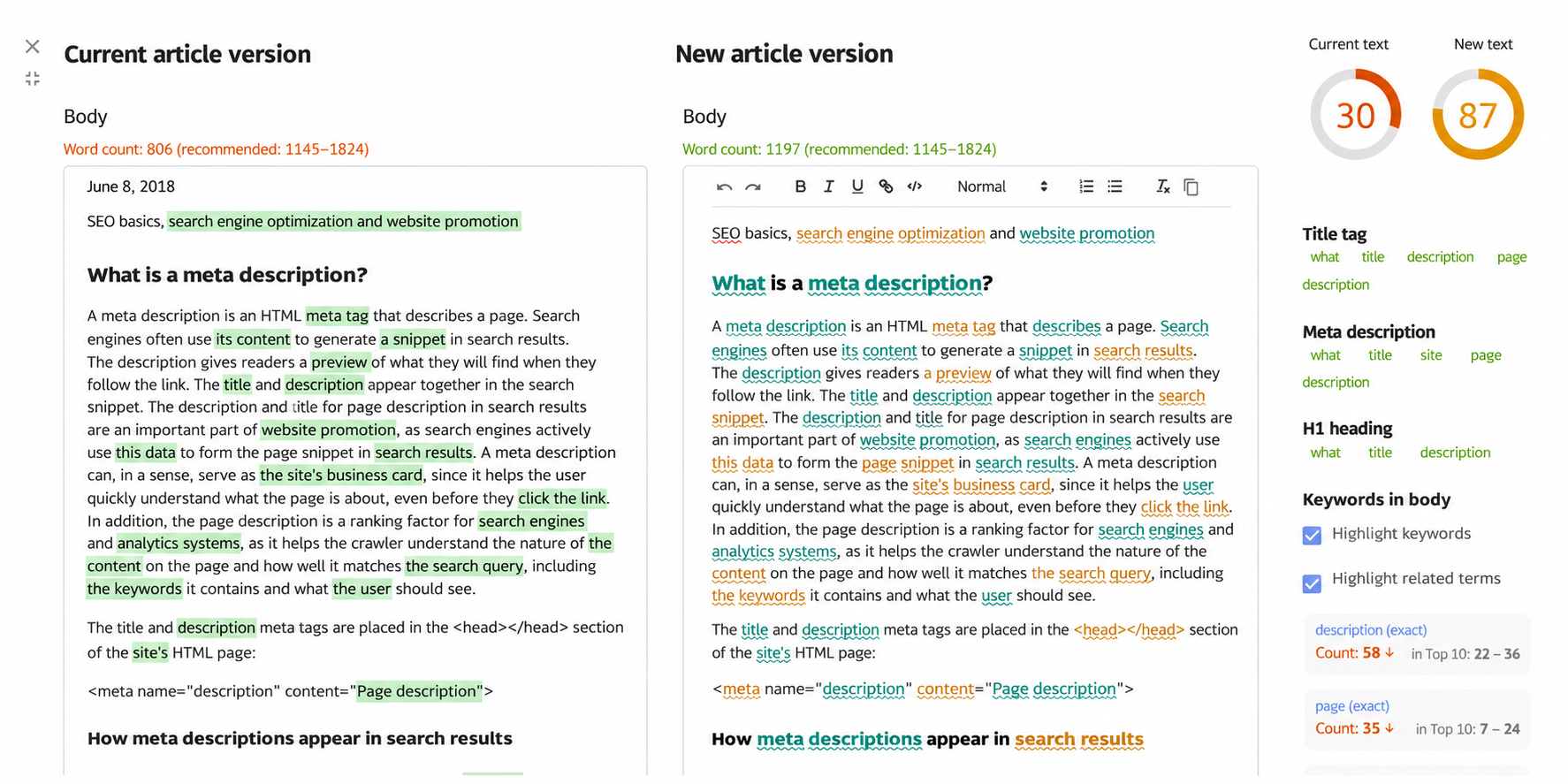
A cluster gives you the essentials for a brief: the page topic, target keywords, landing page URL, phrases to keep together, and queries to cover separately.
A keyword group with no suitable landing page can point to a missing category page, service page, article, or commercial landing page.
Clients can follow a page map more easily than a list of keywords. It shows which pages already exist, which need work, where search intents overlap, which pages to create, and how each fits into the SEO plan.
Search intent can vary by search engine and region. Labrika uses your project settings to build clusters that reflect the actual search results, going beyond similarities in wording.
Choose the algorithm, set how many URLs must overlap in the search results, and specify the cluster size. Some topics call for broad groups, while others benefit from more precise distinctions.
Assign a landing page URL to each cluster to see at a glance which page targets each keyword group. This gives your keyword list a practical place in your site structure.
Similar wording can hide different search intents. Labrika helps you spot those cases so you can give each intent its own page.
Refine the results by moving keywords, creating a group, changing a URL, adding a note, or assigning a color. Lock important clusters to preserve them the next time you regroup your keywords.
Check how well each landing page matches its keyword group. Review the title tag, meta description, H1, body copy, content sections, commercial elements, and page structure.
Move mismatched queries to another cluster or create a separate URL for them so each page addresses a distinct user need.
A cluster without a suitable URL shows you what to add: a category, subcategory, service page, article, comparison page, or commercial landing page.
Turn clusters into tasks. Give the copywriter a content brief, ask the SEO specialist to review on-page optimization, and assign page or site structure changes to the developer.
Use the SEO audit, recommendations, AI Writer, project management tools, and rank tracking to see what happens after you implement the changes.

Labrika runs clustering automatically as part of a full site analysis. You can work with clusters directly in your project without having to manage a separate service. Your keywords, landing pages, and follow-up SEO tasks are connected from the start.
You can also run clustering manually. Use it to check how keywords are grouped, review important sections of your site, and see how Labrika maps queries to pages.
When sorting manually, SEO specialists often group queries by shared words such as “buy,” “price,” “reviews,” or the name of a product or service. Similar wording can hide different search intents. A single group can end up mixing queries for a category page, a service page, an article, a comparison, or a dedicated commercial landing page.
Labrika cuts down on this work by automatically clustering related queries, mapping them to landing pages, and showing which groups need review. This is especially useful when your keyword list changes. Run clustering again, preserve your important groups, and keep working with the updated keywords.
Queries are sorted by shared words such as “buy,” “price,” and “reviews.” Similar words can signal different intents, leaving searches for categories, services, articles, and commercial landing pages in the same group.
Labrika automatically groups related queries by intent, maps them to landing pages, and flags groups to refine. The SEO specialist stays in control of editing and strategy.
Quickly map keywords to pages, spot mixed search intents, and build a clear optimization plan.
Show clients how their keyword list translates into work: which pages you’re optimizing, what needs to be created, and where keyword cannibalization is a risk.
Group queries by category, subcategory, product, filter, article, and commercial page so searches with different intents lead to the right URLs.
Separate core services, pricing, locations, customer questions, and informational queries so each page serves a specific purpose.
Use clusters to structure articles and commercial pages, write content briefs, and guide subsequent content optimization.
Keyword clustering groups search terms by topic, usually with one landing page per group. A cluster helps you decide which queries to target together and which to separate.
Labrika runs clustering automatically during a full site analysis. You can also run it manually for the site and search engine you choose.
Yes. You can run clustering up to twice a day for free for one site and a specific search engine.
No. Labrika helps you identify which pages to create, which existing URLs to optimize, and which queries to separate. Your team creates and updates the pages, using the clusters as the basis for a clear brief.
Yes. You can move keywords, create groups, change URLs, rename clusters, add notes, assign colors, and lock important groups.
You can run clustering again. Locked groups retain their keywords, colors, notes, and associated landing pages.
Yes. You can use clusters to develop a strategy, report to clients, and assign work to your team.
No. You can understand the initial results as soon as you run a site analysis. SEO specialists can also adjust the algorithm, the required number of overlapping URLs, and the cluster size, then refine the groups manually.
Run keyword clustering in Labrika to build your SEO action plan. See which queries to target together, which pages to improve, which search intents to separate, and which new landing pages to prepare.
Start clustering