Get a plan to promote your company in AI answers

Labrika analyses your company, competitors, content and reviews, and checks whether AI systems can access your website. You receive recommendations on how to strengthen your offering, which pages to prepare and which technical issues to fix.

GEO — promoting your company and its content in AI answers.

All you need to sign up is an email address — no phone number or bank card required.

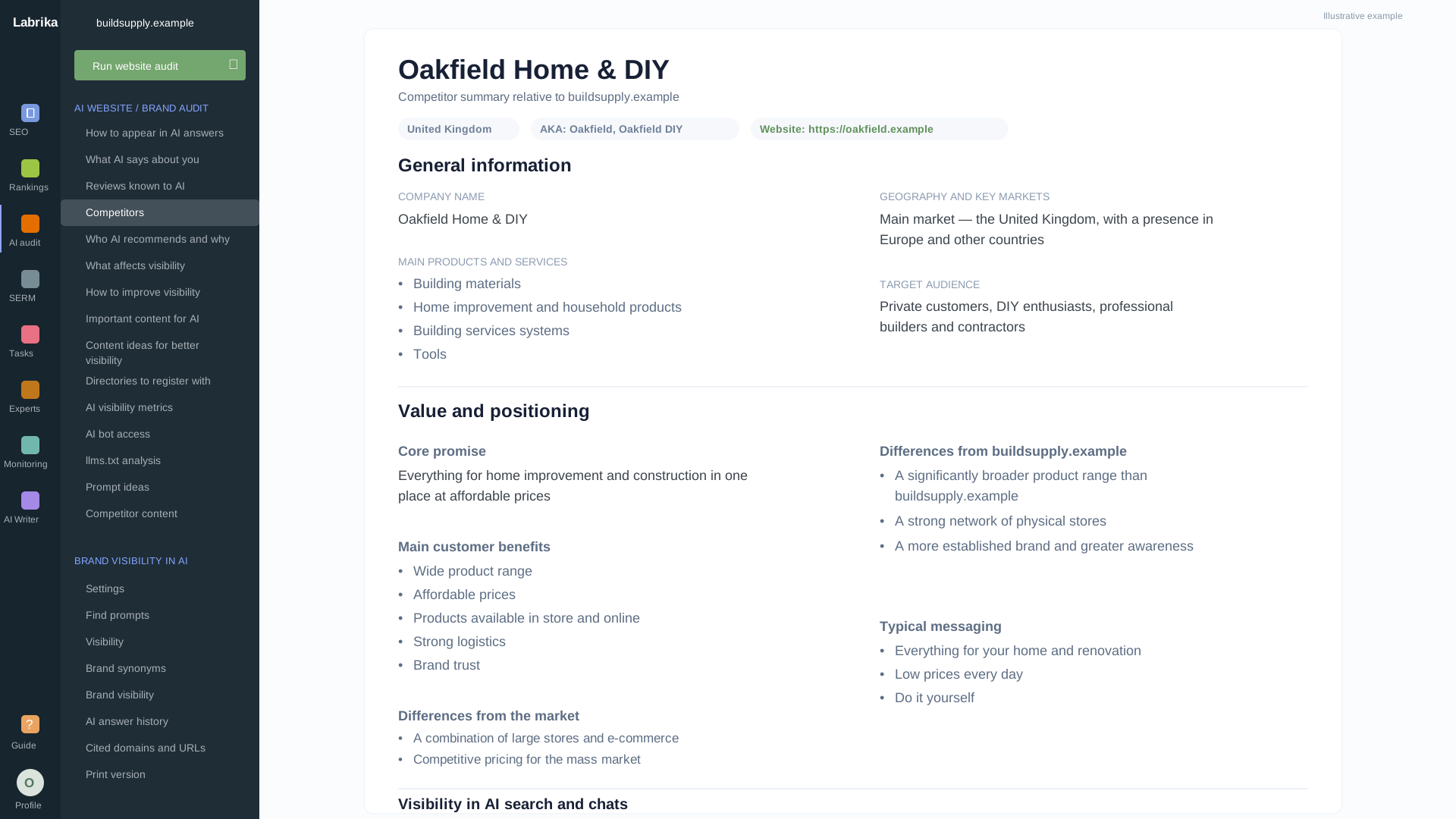
AI competitor summary report.

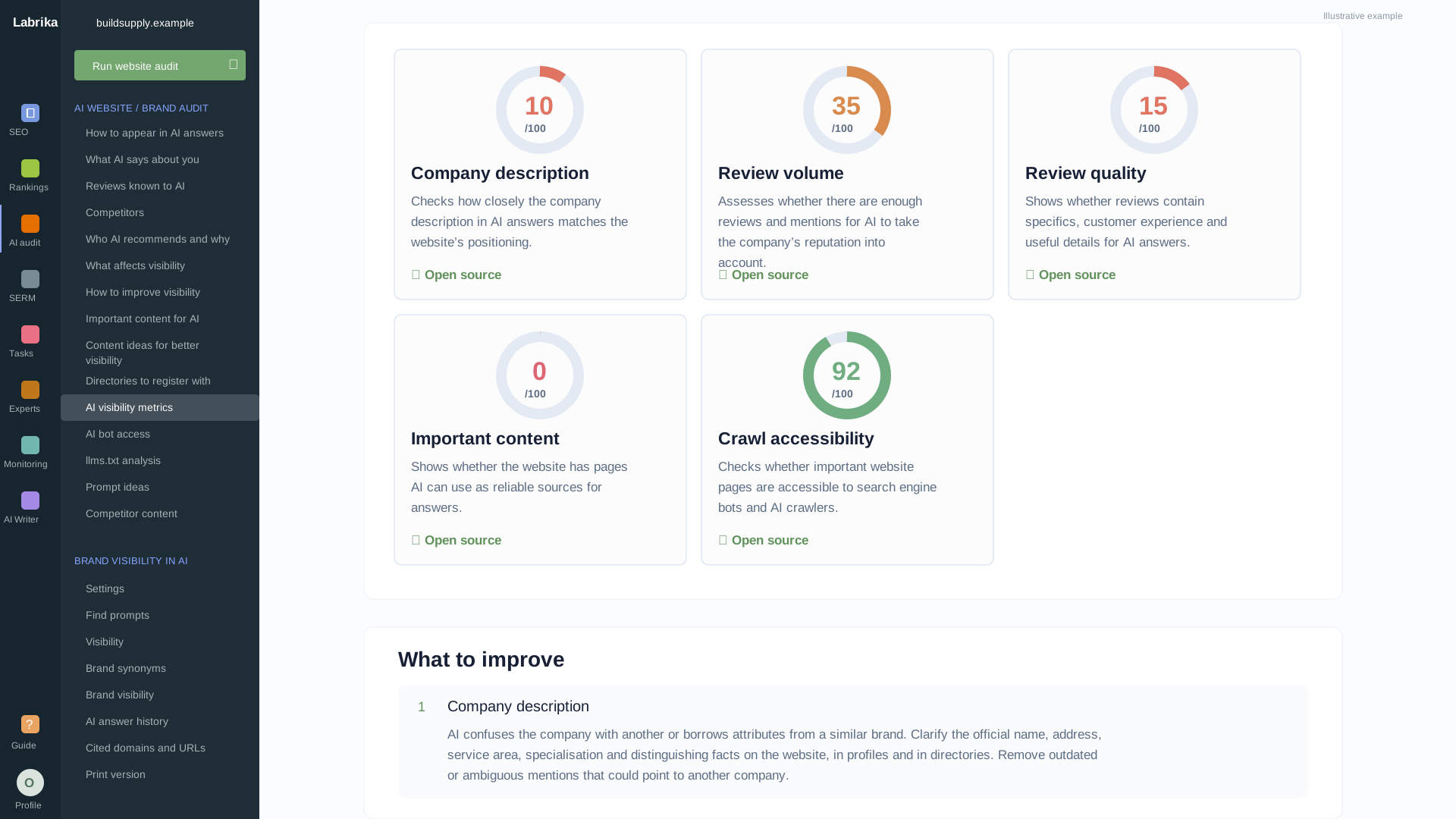
What to improve to increase your AI visibility

  1. Your company’s offering Which advantages to highlight, which competitors to compare yourself with and which customer questions to answer.
  2. Your website and external content Which content to prepare, what to check in reviews and which platforms to consider.
  3. Technical barriers AI access to pages, Schema.org errors and the status of llms.txt.

Compare your company with competitors and strengthen your offering for customers

Analysing competitors and purchasing decision factors helps you understand which company advantages to highlight on your website and which customer needs they are particularly useful for.

Compare the AI-generated company overview with your actual services, audience, service area and terms of business. Compare your offering with competitors and choose your own focus: what to clarify on commercial pages and which questions to pass to your sales team.

Competitors and decision factors

A competitor focuses on emergency call-outs

Their website clearly explains arrival times and help with breakdowns. Your company is stronger in scheduled maintenance, but visitors see only a generic claim of “quality service”.

Compare the customer needs each company addresses: emergency assistance, preventive maintenance, support for multiple offices, documentation and cost approval.

How to use the analysis

Show the benefits of your maintenance service

Explain what preventive maintenance actually includes, how visits are arranged and how you report to customers. Prepare a page for companies that need regular maintenance rather than just one-off repairs.

Benefit: customers can compare offerings more easily and see a reason to choose you beyond price.

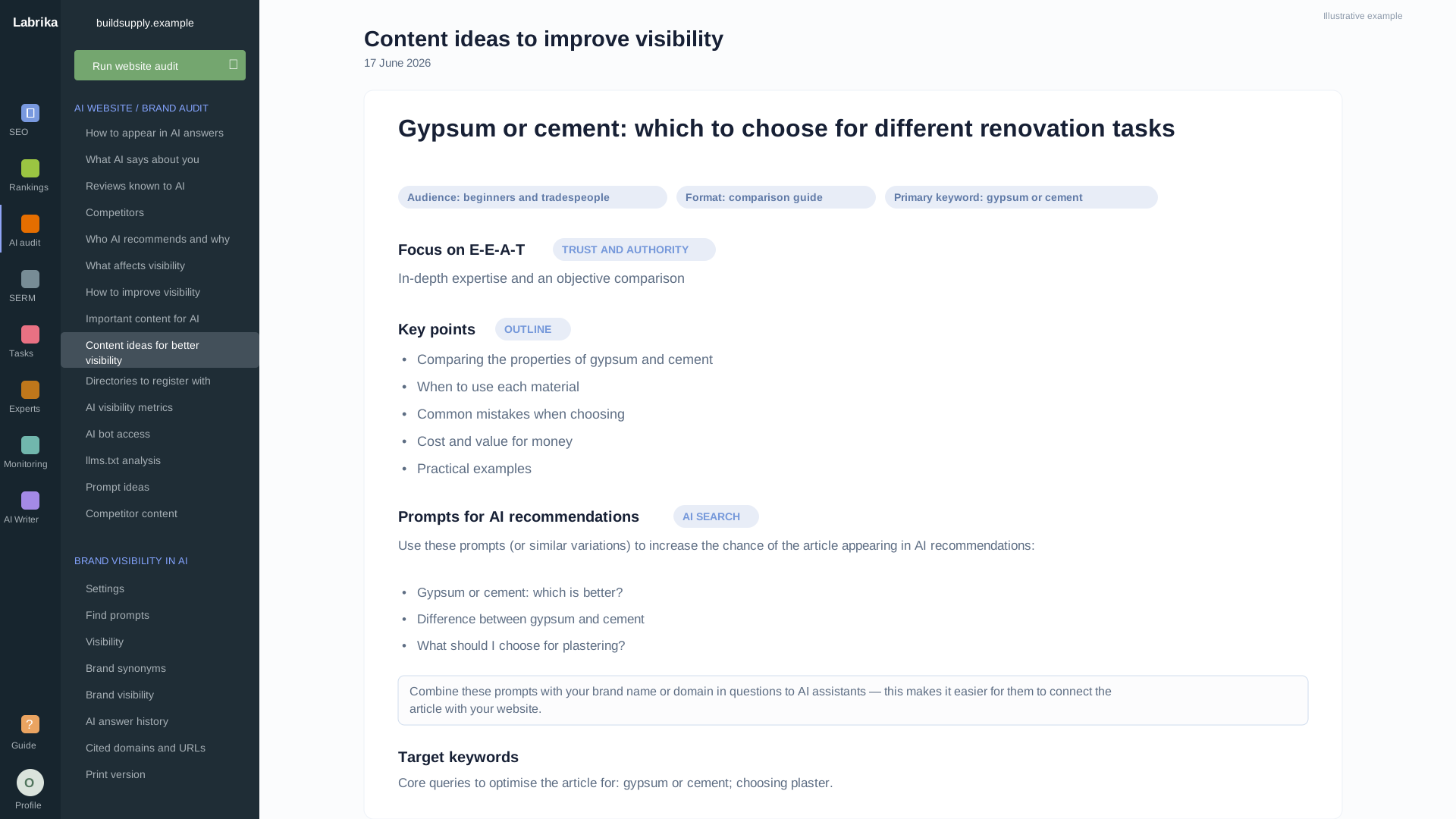
Build a content plan around prospective customers’ questions

Get direction for pages that explain how to choose a service, your terms of business and your company’s advantages. Use two sources of topics:

  • Analysis of your own content

    Recommendations for topics and prompts — questions for AI — help you identify what to add to your website and which content to prepare around customer needs.

  • Competitor content

    Labrika’s additional “Competitor Content” report includes content titles, search intents — what readers want to achieve — prompts, target keywords and URLs. Choose topics, then start preparing content briefs and documents.

For example, a competitor’s guide to contracts can be a starting point for content about service scope and payment. Add your company’s actual terms and approved examples to the brief.

Example report Competitor Content

Content for your editorial plan

How to choose a maintenance contract

Intent
Informational
URL
competitor.example/service-contract

Maintenance for multiple offices

Intent
Commercial
URL
competitor.example/office-network

Check AI bot access, Schema.org and llms.txt

Content intended to improve visibility must be accessible to AI systems. Technical reports help you check access and give your developer a specific issue to resolve.

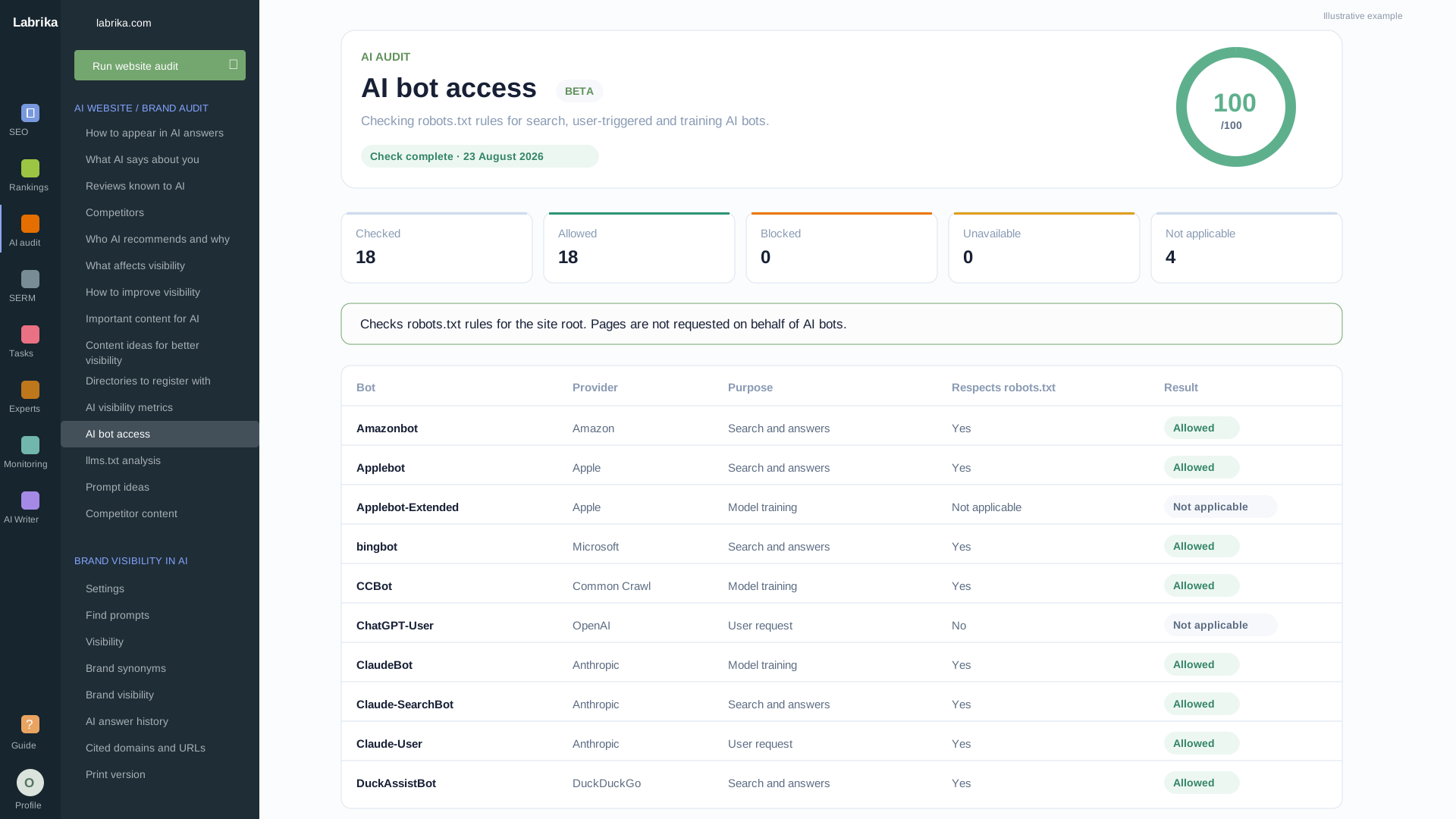
The report shows the AI bot, robots.txt rule, URL and HTTP response. Your developer can identify the cause: crawling rules, a redirect or website protection.

For example, robots.txt allows access, but the server returns 403. Give your developer the details from the relevant report to resolve the issue:

  • AI bot access

    Provider, purpose, User-Agent, robots.txt rule, original and final URLs, HTTP response, Content-Type and probe status.

  • Schema.org markup

    Markup format, entity types, errors and warnings, rule, property path, code snippet and list of affected pages.

  • The llms.txt file

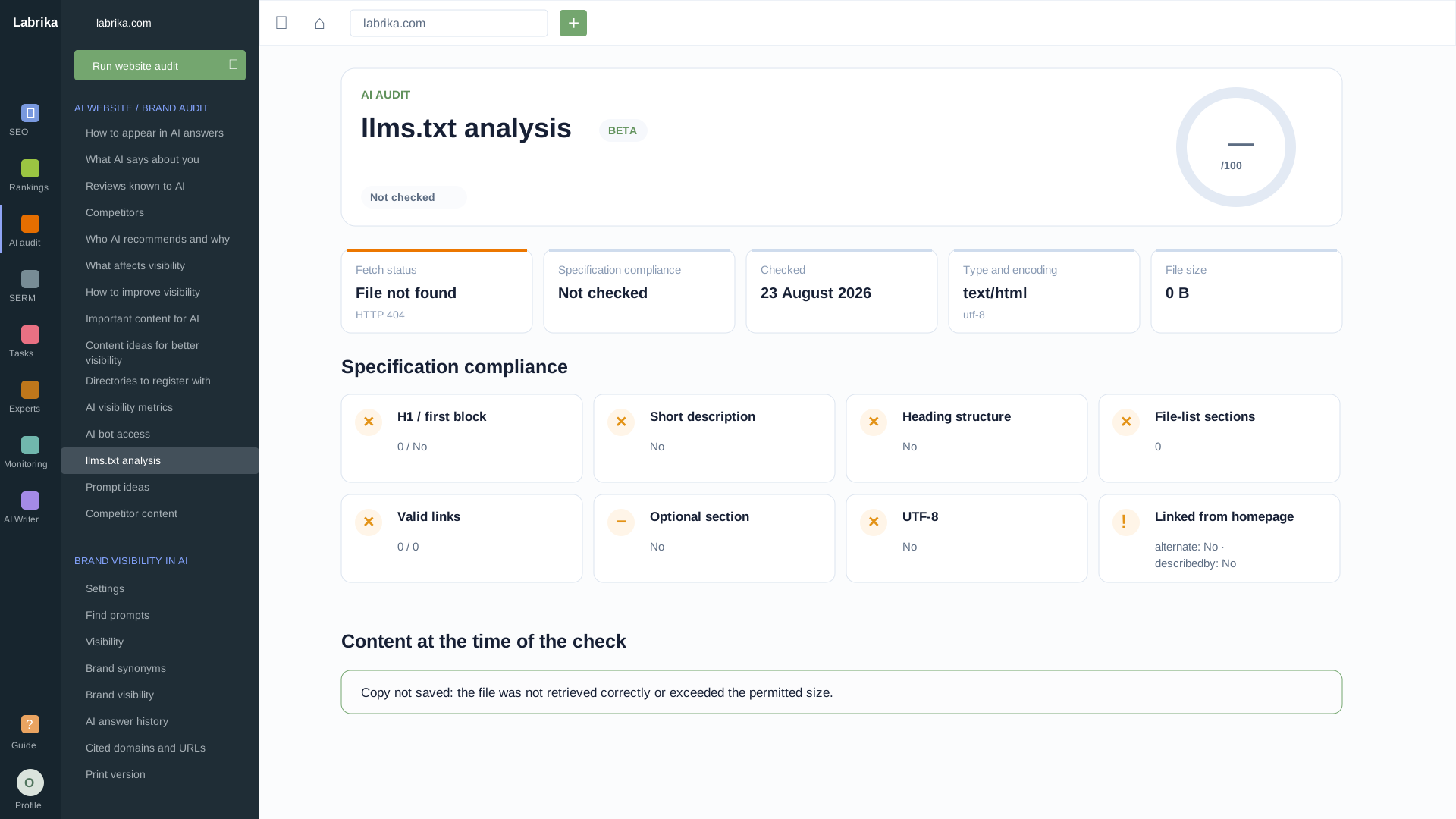
    File availability, server response, type, encoding, size, title, description, sections and link validity.

Example report Technical check

Access and markup

/services/office-support

AI bot access

Unavailable
User-Agent
GPTBot
robots.txt
Crawling allowed
HTTP response
403 — Forbidden

Schema.org

URL error
Markup
JSON-LD · Organization
Property
Organization.url
Snippet
"url": "company" — an absolute URL is required

llms.txt

Broken link
File
HTTP 200 · text/plain · UTF-8
Section
Services
Link
/services/office-network → 404

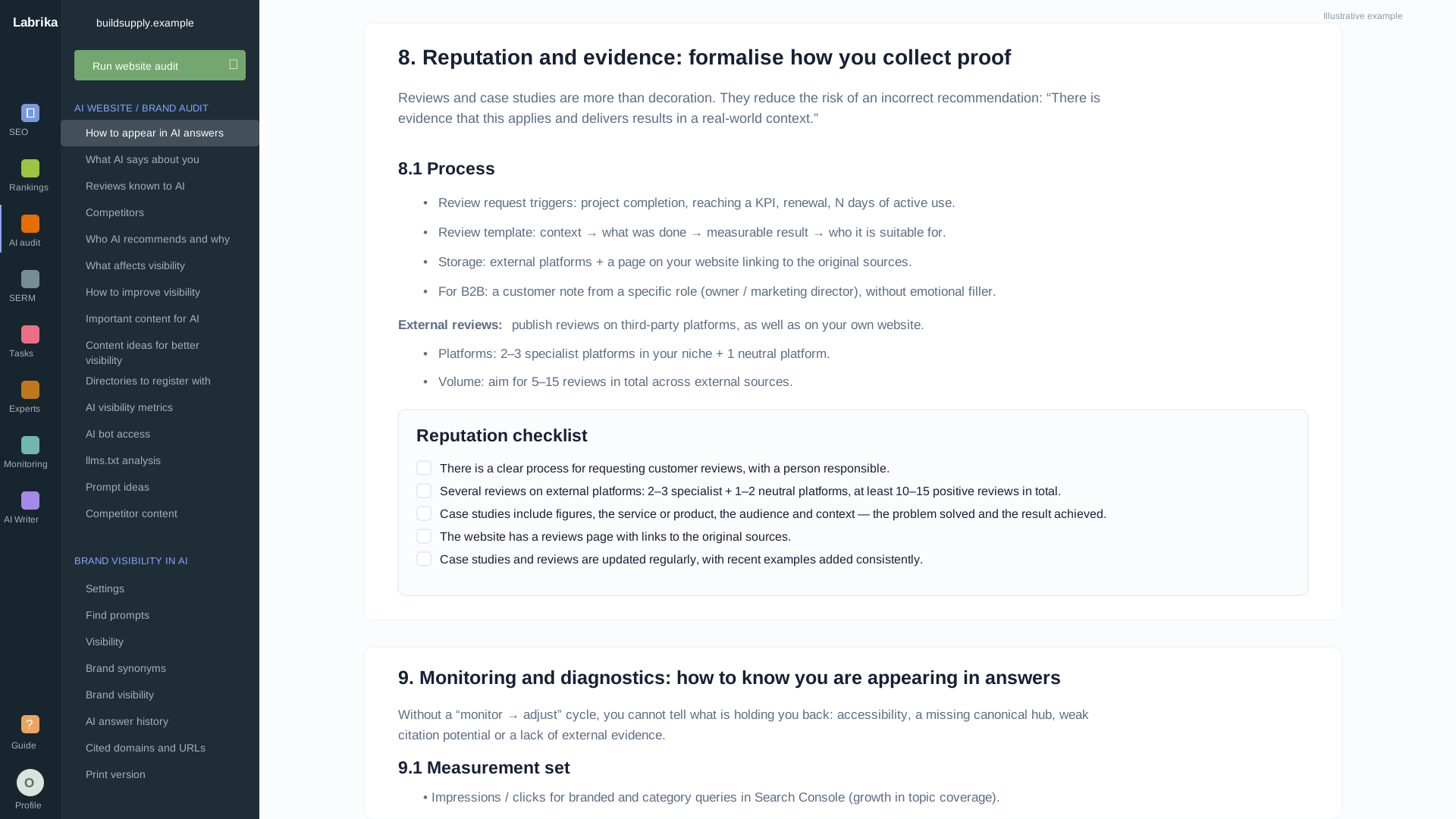
Find ways to support your company’s claims beyond your website

Reviews and external platforms help you explore how your company is represented. Use the findings to work on reputation and publications, as well as your homepage copy.

  • Analyse reviews and questions about your company

    AI review analysis helps identify topics to investigate: issues related to service quality, timing, support or customer expectations. Check the findings against the original reviews and decide what to explain in more detail on your website.

    When customers are unsure how your service works, showing the steps and how to request help is more useful than repeating “a personalised approach”.

  • Choose platforms for further work

    Directory and platform recommendations point you towards relevant industry listings. Check whether a platform suits your audience, whether your company has a listing and whether its details are up to date.

    You can then update the service description, add accurate information or prepare an industry publication. You receive a specific list of areas to work on beyond your own website.

Example review analysis Illustrative example

Reviews and external platforms

What appears in reviews

Customers praise the specialists but ask when to expect a visit and what the service includes.

What to check and explain

Compare reviews with the actual terms. Describe how to submit a request, how quickly a visit is arranged and what work is included.

Where to add information

Check company listings on maps and in industry directories: are services, service areas and contact details up to date?

Next step: clarify the terms on your website and update descriptions on external platforms.

What you get in Labrika’s GEO audit

Technical tables and detailed AI analyses address different parts of the task: finding barriers, improving your offering and preparing work for your team.

  • Company overview and AI recommendations

    A public description of your company and recommendations for explaining its services and advantages.

  • Competitors and decision factors

    A comparison of offerings and the factors that matter to customers when choosing a provider.

  • Content, topics and prompts

    Direction for new pages and additions to existing content.

  • Reviews, directories and platforms

    Topics to investigate in reviews and areas to work on across external platforms.

  • AI bot access, Schema.org and llms.txt

    Checks with page URLs, statuses and detailed errors.

  • Improvement instructions

    Recommendations to implement, with completion tracking.

Give your team instructions, topics and a list of errors

Your marketer receives insights into the company’s offering, your editor gets topics and customer questions, and your developer gets URLs and errors. Your manager can use the reports to agree on priorities.

Export AI analyses to HTML or DOCX, prompts to XLSX and Schema.org issues to a spreadsheet. Mark instructions as completed.

Start with one important service. Agree on priorities, resources and facts before handing over the task.

Example report GEO audit

Improvement instructions

  • Clarify the description of maintenance for multiple offices

    Completed: actual service terms added.

  • Prepare content on choosing a contract

    Next step: agree on the content with the editor.

  • Check access to the service page

    Next step: give the developer the technical check details.

Assign owners and deadlines in Workplan

When several people work on improving visibility, manage the selected tasks in Labrika’s separate Workplan tool: with assignees, deadlines, Kanban boards and Gantt charts.

Add audit results to tasks, and assign owners and deadlines. Kanban shows work progress, the Gantt chart shows dates and dependencies, and the workload overview shows team capacity.

Keep discussions and files in tasks. Share plans using CSV, XLSX and Markdown import and export.

Example report Workplan

Work on the service page

In progress

Update the service page

Assignee: editor

Explain the agreed service terms.

In review

Fix the markup

Assignee: developer

Verify the fix on the affected URLs.

Track whether your brand appears in AI answers after changes

Use Labrika’s separate “AI Visibility” tool to track results: it saves answers, brand mentions and sources for your selected questions.

Save answers before implementation and schedule regular checks after making changes. Choose customer questions about the service, location and terms of business.

Compare mentions of your brand and competitors over time. Open full answers and sources; the citations table includes URLs, the model and the prompt.

Compare the same questions and settings. A change in an answer alone does not prove the impact of one specific edit.

Example report AI Visibility

Check answers to important questions

Question to monitor

“Who should I choose for maintenance across multiple offices?”

In each check
The date, selected AI system, and presence of your brand and competitors.
In the saved answer
The context of the mention and links to sources.
Example report Client summary

Maintenance service page

Work completed and the plan for the next stage

Completed

Clarified the service area and request process. Fixed a markup error.

Next step

Prepare content on choosing a contract: explain the terms and help the customer make a decision.

Needed from the client

Current contract terms and examples from the service manager.

Show the results. Agree on the next step

Help your client understand what has changed on the website and how it benefits the business: visitors can understand the services, find the terms they need and submit an enquiry more easily.

Put together a clear summary: which tasks are complete, why the next work is needed and what materials you need from the client. Connect each change to a specific objective — from clarifying the service area to explaining contract terms.

This helps your client assess the completed work, discuss priorities and agree on the next stage. Your team will have a shared plan: what to do next and what they need to get started.

Questions before you get started

Is the audit suitable if we are just starting to improve our AI visibility?

Yes. Start with your company description, competitor analysis and content recommendations. Technical reports help you check website access. Then choose work that fits your services and your team’s resources. GEO is the term for promoting a company in AI answers; you do not need to know every technical term to get started.

How does a GEO audit differ from monitoring AI answers?

The audit helps you decide what to improve in your company’s offering, content and technical website readiness. “AI Visibility” collects answers to selected questions and shows brand mentions and sources by date. These are separate tools for planning and monitoring.

Is adding llms.txt and Schema.org markup enough?

The file and markup alone do not guarantee mentions in AI answers. In the GEO audit, these checks complement the analysis of your company, competitors, content and reviews. Use all the components your task requires.

Will Labrika make changes to my website automatically?

The audit provides check results, recommendations and instructions. Your team makes changes to the copy, markup, CMS and access settings. Technical details are available for your developer, and insights and topics for your editor.

Can I share the results with colleagues or a client?

AI analyses can be saved as HTML and DOCX, and suggested prompts as XLSX. Schema.org has a separate spreadsheet export. Choose the output that suits the assignee’s task or your discussion with the client.

Does the audit guarantee that AI will start recommending my company?

No. It helps you identify problems and choose actions to improve visibility. Source selection and answer content depend on the AI systems. You can track actual mentions using the separate monitoring tool.

How do I get started?

Create a Labrika account, add your website and open the GEO audit. Prepare an up-to-date description of your services and business to check the recommendations against. Plans and limits are available on the pricing page.

When should I repeat the audit?

After updating important pages, repeat the relevant technical checks. If your terms of business have changed, compare them with your public materials. When launching a new service, revisit the company, competitor and content topic analyses. Continue separate AI answer monitoring to track mentions.

Prepare an AI visibility plan for your company

Start with an audit: compare your offering with competitors, choose content and assign specific work to your team.

All you need to sign up is an email address — no phone number or bank card required.